How to Properly Clean a Home-office Desk, Keyboard and Screens
Sunshine on 14 July, 2025 | Comments Off on How to Properly Clean a Home-office Desk, Keyboard and Screens
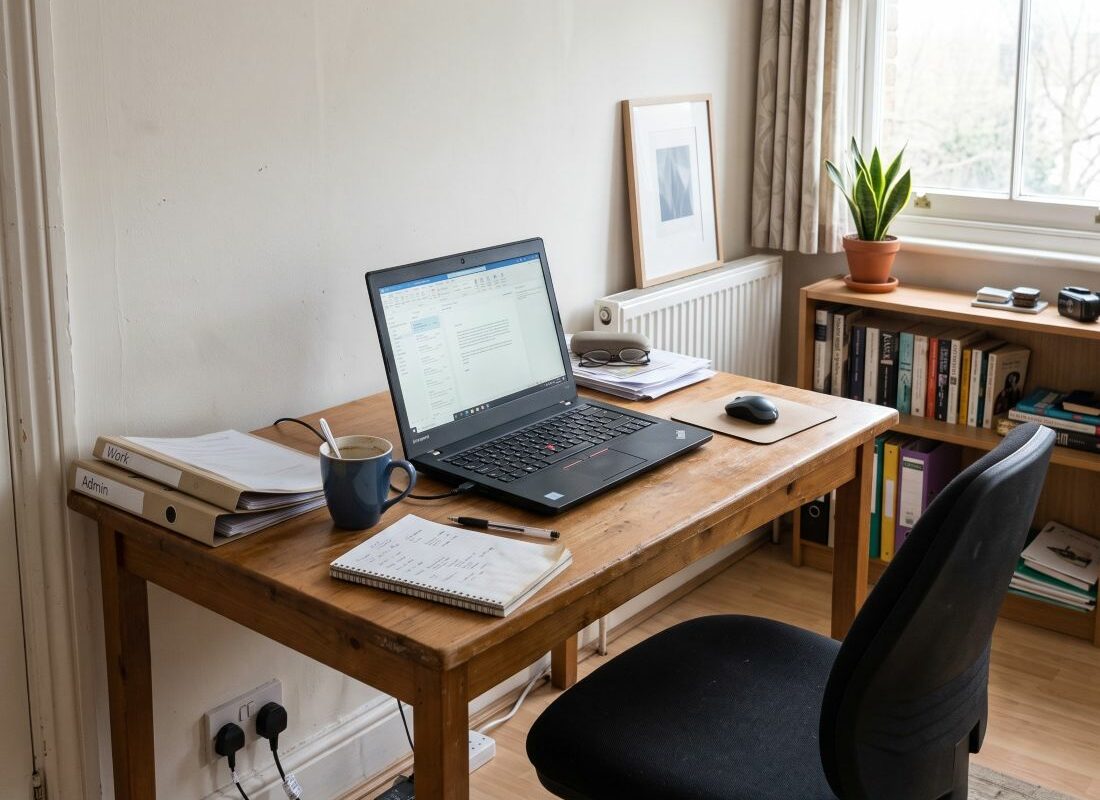
A home office gets filthy in a way people don’t clock, because it happens slowly and at an eye level you long ago stopped noticing. The desk you sit at eight hours a day is one of the grimiest surfaces in the house – skin oil and coffee rings on top, crumbs pressed down between the keys. The screen you read through has a film on it you stopped seeing weeks ago. I clean a lot of these setups across London now that half my clients work from home, and the same handful of mistakes come up every time. Most of them start with someone reaching for the wrong bottle.
Where should you start, and what should you switch off?
Top to bottom, dry before wet, and everything powered down before a damp cloth comes near it. That’s the method in a sentence. Dust falls, so you work from the monitor top and the shelves down to the desk, or you’ll clean the surface and then shower it in grey again ten minutes later.
Power matters more than people expect. A screen wiped while it’s on shows you nothing, because you can’t read smears against a lit display, and a warm screen dries cleaning fluid into streaks before you’ve finished the stroke. Off at the socket for anything with a plug, and let a laptop cool before you touch it.
And never spray liquid at the device. You spray the cloth, held away from the desk, then bring the cloth to the glass or the keys. A trigger spray aimed at a monitor drives moisture straight into the seam along the bottom of the bezel, and that is exactly where it does its quiet, expensive damage.
Why the cloth matters as much as the spray
Microfibre, and only microfibre, for glass and screens. An old cotton T-shirt will do at a push. Keep paper towel well away – it feels soft but it’s wood pulp, mildly abrasive, and on a screen coating it leaves fine swirls you’ll spot the next sunny morning. I carry separate cloths for screens and for surfaces, because a cloth that’s just wiped a greasy desk edge will smear that grease across your display, and then you’re cleaning the same panel twice.
How do you clean a screen without wrecking the coating?
This is where the real damage gets done, and it’s almost always done with a bottle of blue glass cleaner. Don’t. Window sprays, and anything carrying ammonia or a strong solvent, will over time strip the anti-glare and anti-reflective coatings off a modern panel and leave cloudy blotches that no careful wiping ever brings back. The same goes for neat alcohol and for the little pop-up wipes sold by the till. On an old glass-fronted monitor you might get away with it. On a laptop screen, an OLED panel or anything matte, you’re sanding off the very layer you paid extra for.
What actually works is dull. Distilled water on a microfibre, wrung out until it’s barely damp – damp, not wet – wiped in straight lines rather than circles, screen off so you can see every mark as it lifts. That clears the great majority of what sits on a screen, which is finger grease and a fine airborne film off the kitchen. For a mark that won’t shift, a cloth misted with a fifty-fifty mix of distilled water and isopropyl will move it, but keep that off matte coatings altogether and go sparing even on glass.
Tap water is a false economy here too. Let it dry on a dark screen and London’s chalk leaves its own faint spots, which is the whole reason I carry a bottle of distilled in the kit rather than filling up at the sink.
Pressure is the last thing, and the one that catches people out. An LCD has give in it, and pressing hard to chase a stubborn mark can push up a bloom of discolouration that sits there for a few minutes and, if you’re heavy-handed and unlucky, never fully clears. Let the moisture do the work. If a mark won’t come on a light pass, mist the cloth again rather than lean harder.
The matte anti-glare coating that fights you
Anti-glare panels are the fussiest of the lot. The textured finish that kills reflections grips grease in a way flat glass never does, then shows every wipe mark you leave behind trying to remove it. Distilled water and a proper screen microfibre, and nothing else – no alcohol, no pressure. Given a free choice I’d take a glossy panel over matte every single time; the anti-glare looks wonderful under showroom lighting and cleans like a nightmare in a real kitchen-diner with a window behind the desk. That’s a minority opinion among the designers I clean for, and I’m keeping it.
What’s the right way to clean a keyboard?
Turn it over first. Before any cloth or bud comes near it, unplug it or shut the laptop right down, tip it upside down over a bin and give the base a firm few taps. What comes out will horrify you – crumbs, and a surprising amount of what is basically your own shed skin. That alone clears most of the bulk.
Then the surfaces. A cotton bud barely dampened with seventy-per-cent isopropyl runs around and between the keys and lifts the greasy tide-line that builds on the ones you hit most, the space bar and the WASD cluster if there’s a gamer in the house. Isopropyl because it flashes off fast and leaves no water sitting in the workings – damp, not wet, the same rule as the screen. For the keycap tops, a microfibre lightly misted with the same. Never pour anything into a keyboard, and never let a laptop take more than a whisper of moisture, because the liquid that runs under the keys on a laptop runs straight down onto the board beneath them, and that is a costly lesson to learn once.
Should you pull the keycaps off?
On a mechanical keyboard, yes, and it’s the single job that transforms one. The caps lever off with a cheap wire puller, go into a bowl of warm soapy water while you brush out the exposed base, then dry completely before they go back on – completely, because a damp cap seated over a switch is asking for trouble. On a laptop or a low-profile membrane board, leave every key where it is; those clips snap easily and the keys rarely seat properly again.
I’ve stopped using canned compressed air, and I’d tell you to bin yours. It looks efficient, but it mostly fires the grit sideways and deeper into the mechanism instead of out of it, and hold the can at the wrong angle and it spits freezing propellant onto the board. A soft brush and turning the thing over does more, with none of the risk. Unpopular, I know.
Does the desk surface change how you clean it?
It changes everything, and it’s the step most people skip. The wrong product on real wood is permanent; the wrong product on glass is merely annoying, which tells you where the care needs to go.
Glass shows every smear, so it’s the microfibre-and-barely-damp treatment again, buffed dry the moment you’ve finished or it dries to a haze. Laminate and melamine, which is the surface of most flat-pack desks, take a mild washing-up solution on a cloth quite happily, wiped and then dried. Real wood is the one to respect.
Cleaning a solid wood desk without ruining the finish
Wood hates two things: standing water and being soaked in anything at all. A well-wrung cloth, barely damp – damp, not wet, the same as everything else – worked along the grain and dried immediately, with no puddle left to sink into an open grain or creep under an oiled finish and lift it. Skip the all-purpose spray; on an oiled or waxed top it strips the protection and leaves a dull patch that then drinks up every spill that follows. A dedicated wood soap now and then, or the right wax buffed into an oiled desk, keeps the surface fed. Coffee rings on bare wood are their own battle, and mostly a losing one, which is the argument for a coaster that nobody ever wins.
What about the mouse, the cables and everything you forget?
The mouse gets the same isopropyl-on-a-bud treatment across the sensor window underneath and into the scroll wheel, which collects a grey felt of dust that makes it stick and skip. The little glide feet on the base pick up desk grime and start to drag; a wipe there and the pointer runs clean again.
Cables are just dust farms. A dry microfibre or a soft brush down the backs of them, and along the strip of desk where the leads bunch up, clears the worst of it. A dab of isopropyl takes off the sticky grey band where a charger lead has sat against the desk edge for a year. I don’t chase perfection back there, and neither should you.
The vents you never look at, and why they matter
The dust on the surface is cosmetic. The dust packed into a laptop’s cooling vents is a different problem entirely. A machine that can’t breathe runs hot, and a hot machine slows itself down to cope and wears out sooner, all because a grey mat of fluff has sealed the intake. A soft brush across the vents, the laptop propped so its underside grilles sit clear. A torch afterwards to check you’ve actually shifted the stuff rather than just rearranged it.
I cleaned a graphic designer’s setup in Hackney Wick last month, one of the warehouse conversions off the towpath, where the tower had dragged so much canal-damp dust through its front filter that the mesh had gone to solid grey felt. The desk sitting on top of it was spotless. She’d been cleaning the thing she could see and ignoring the thing that mattered, which is what nearly everyone does. The fan noise dropped the moment the filter came off. You could hear it settle.